
IPTV Smarters Invalid Details Error: Causes and Fixes

Quick answer
The "Invalid Details" error in IPTV Smarters is a common login issue indicating that the app could not verify your provided credentials. Simply put, the username, password, or server URL you entered does not match the IPTV service's records and access is denied. This error usu...
Reviewed Against
• IPTV Smarters login, playlist, and account-entry screens
• Server-URL formatting, HTTP response handling, and account-entry failure patterns
Applies To
• IPTV Smarters sign-in, playlist import, or account-detail errors
• Errors caused by malformed URLs, wrong credentials, expired tokens, or unreachable playlist endpoints
Does not apply when
• The account itself is disabled or expired on the provider side.
• The provider confirms the service is down or the account has been deliberately blocked upstream.
Corroborating Resources
HTTP response status codesUseful when an IPTV app surfaces 401, 403, 404, or 5xx style errors during login or playlist refreshes.
URL structure referenceHelpful for checking server URLs, source links, and path/query mistakes in portal or playlist setups.
Topic Cluster
Part of the IPTV Smarters cluster
Browse practical IPTV articles about IPTV Smarters, including setup choices, troubleshooting paths, and follow-on guides. This page sits in troubleshoot and fix for that topic path.
On this page
IPTV Smarters Invalid Details Error: Causes and Fixes
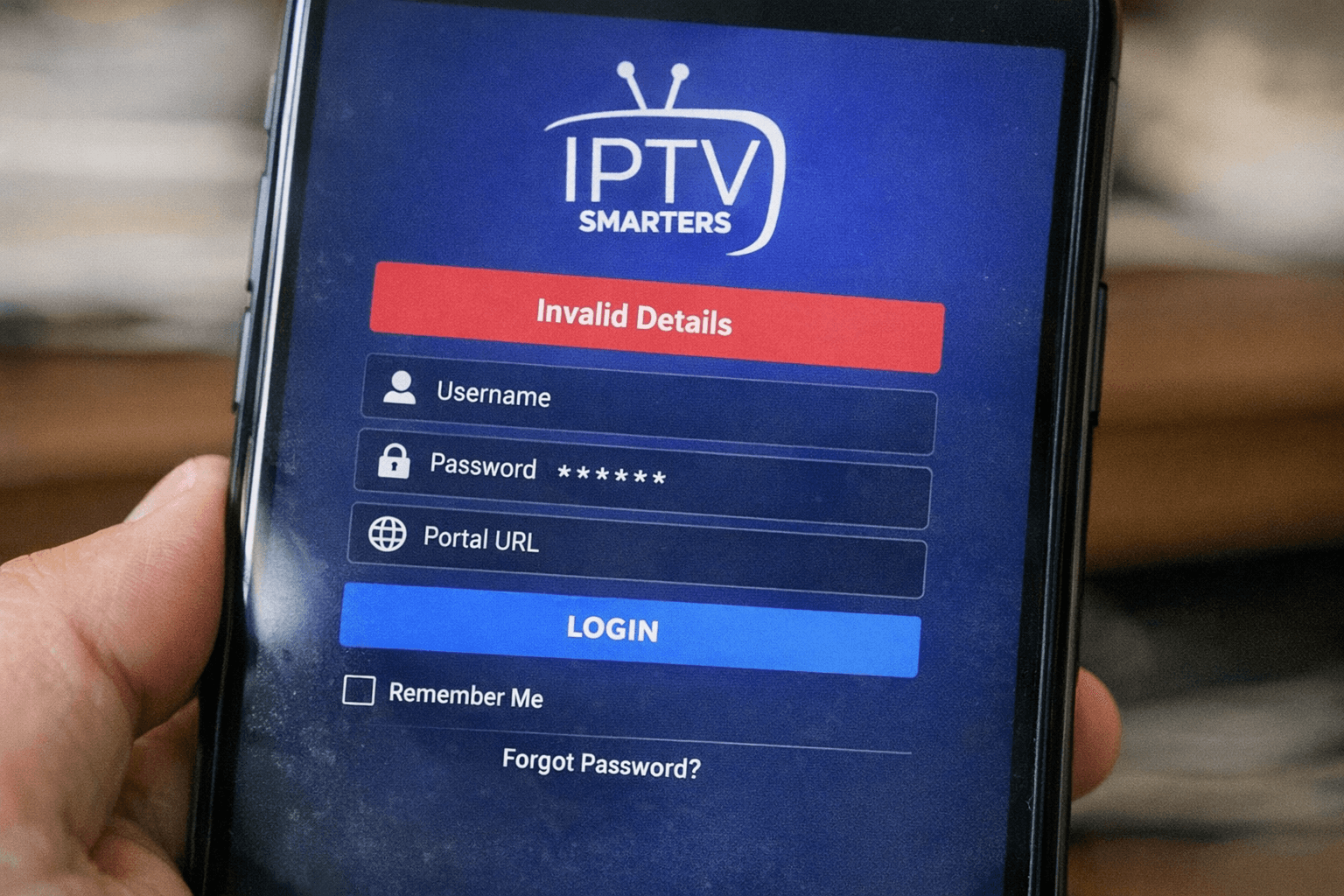
The "Invalid Details" error in IPTV Smarters is a common login issue indicating that the app could not verify your provided credentials. Simply put, the username, password, or server URL you entered does not match the IPTV service's records and access is denied. This error usually happens during the login or playlist loading phase and prevents streaming.
Understanding this error helps you quickly pinpoint what aspect of your IPTV Smarters setup needs attention. It can stem from incorrect credentials, expired subscriptions, server downtime, or app-related glitches.
What you'll learn
- Why IPTV Smarters shows the "Invalid Details" error
- How to verify and correct your login information
- Steps to check your IPTV subscription status
- Troubleshooting app and network issues that cause this error
- Best practices to avoid login problems in IPTV Smarters
What Does "Invalid Details" Mean in IPTV Smarters?
IPTV Smarters uses login credentials to authenticate your access to IPTV streams. These credentials generally include:
- Username: Your unique account identifier
- Password: Your account password
- Server URL or Playlist link: The address from your IPTV provider where media streams or playlists are hosted
When any of these details are entered incorrectly or rejected by the IPTV provider’s authentication server, the app shows "Invalid Details." This is a security measure to prevent unauthorized streaming.
Common Credential Mistakes
- Typos in username or password
- Copy-pasting extra spaces from emails or texts
- Using outdated or expired login details
- Mixing up URLs for different servers or providers
Verify Your IPTV Smarters Login Details
The first step to fix this error is to carefully confirm that all credentials are accurate.
How to Check Credentials
- Obtain your login details directly from your IPTV provider's official communication (email, dashboard, or support).
- Re-enter username and password on IPTV Smarters, paying attention to case sensitivity.
- Verify the server URL or M3U playlist link matches exactly.
Note: Some IPTV services provide Xtream Codes API details which include a server, username, and password separately. Mixing these with an M3U URL causes errors.
Confirm Your IPTV Subscription and Server Status
Even with correct credentials, if your IPTV subscription has expired or the server is down, you will see the "Invalid Details" error.
How to Check Your Subscription
- Log in to the IPTV provider’s website or user panel.
- Confirm your account status and validity period.
- Renew if expired.
Check Server Status
- Providers might have status pages or social media updates.
- Contact support to verify server functionality.
Troubleshooting IPTV Smarters App and Network Issues
If your credentials and subscription are correct, the issue might be with the app or network.
Update or Reinstall IPTV Smarters
The app version can sometimes cause unexpected errors.
- Go to your device’s app store.
- Check if there is an update available for IPTV Smarters.
- If updating doesn’t help, uninstall and reinstall the app.
Clear App Cache
Cached data can cause login glitches.
- On Android devices, go to Settings > Apps > IPTV Smarters > Storage > Clear Cache.
Check Internet Connection and DNS Settings
An unstable or poorly configured network can disrupt login authentication.
- Test your internet by browsing other websites or streaming different services.
- Try connecting to a different network.
- Use reliable DNS servers like Google DNS (8.8.8.8) or Cloudflare (1.1.1.1) to avoid DNS-related errors. (Learn more about DNS)
Handling Playlist File Issues
If you use an M3U playlist URL or file, ensure it is valid and formatted correctly.
- Confirm the playlist link is active and corresponds with your username/password if needed.
- Some IPTV providers require credentials embedded within the URL or use an Xtream Codes API instead.
Common Mistakes Leading to "Invalid Details"
| Mistake | Effect | How to Fix |
|---|---|---|
| Copying credentials with spaces | Login rejected due to invalid input | Re-type manually or trim spaces |
| Using expired IPTV subscription | Server denies access | Renew subscription or check status |
| Entering wrong server URL or API | Authentication failure | Verify correct server address |
| Using outdated IPTV Smarters app | Compatibility issues | Update or reinstall the app |
| Network DNS misconfiguration | Unable to reach authentication server | Change to trusted DNS servers |
Summary Checklist to Fix IPTV Smarters Invalid Details Error
- Verify username and password accuracy
- Confirm IPTV subscription is active
- Check server URL, playlist link, or API details
- Update or reinstall IPTV Smarters app
- Clear app cache and restart device
- Test internet connection and DNS settings
- Contact IPTV provider support if unresolved
Frequently Asked Questions
What does "Invalid Details" mean in IPTV Smarters?
It means the login information (username, password, or server URL) does not match the IPTV provider's records, blocking access.
Can outdated app versions cause this error?
Yes, app incompatibility can prevent proper authentication. Updating IPTV Smarters often resolves this.
Does my IPTV subscription affect this error?
If your subscription is expired or suspended, the server will reject your login, causing the error.
How can I prevent "Invalid Details" errors?
Always double-check your credentials, keep IPTV Smarters up to date, and monitor your subscription status.
Is "Invalid Details" related to IPTV Smarters technical bugs?
Less commonly. Corrupted app data or bugs may cause issues, but usually clearing cache or reinstalling fixes this.
Conclusion
The "Invalid Details" error in IPTV Smarters is a clear signal that your login credentials were rejected by the IPTV provider's authentication system. The most efficient way to resolve this is to methodically verify your username, password, server URL, or playlist details and confirm your subscription status is current. Additionally, updating the app, clearing cache, and ensuring your network connection are proper can eliminate other causes. By following the steps outlined above, you can swiftly restore your IPTV Smarters access and continue streaming without disruptions.
For related issues like authorization errors or playlist import errors, see our Authorization Error topic and Fixing Playlist Import Errors. For DNS settings, visit our DNS topic page. If you use TiviMate, check our article on TiviMate Playlist Updates But Guide Does Not for further IPTV playlist troubleshooting help.
Keep exploring
More explainers that connect naturally to this setup, workflow, or troubleshooting path.
If your TiviMate EPG (Electronic Program Guide) source URL is not working, it means TiviMate cannot retrieve the program guide data from the specified web address. This usually results in missing or empty channel grids inside the app.


When it comes to updating IPTV playlists, two common methods are M3U Plus and the Xtream Codes API. Both serve to refresh the channel lists and program information delivered to IPTV apps, but they do so in different ways.

If your TiviMate playlist does not update after hitting the refresh button, it's usually due to issues like playlist URL problems, app cache conflicts, or network connectivity failures.