TiviMate EPG Source URL Not Working: Troubleshooting and Fixes

Quick answer
If your TiviMate electronic program guide (EPG) source URL is not working, it means the app cannot download or parse the program data needed to display TV schedules. This issue is often caused by an incorrect URL, server downtime, or the EPG data being in an incompatible forma...
Reviewed Against
• TiviMate playlist, EPG, and player-setting workflows
• XMLTV guide imports, refresh timing, and channel-guide matching
• Server-URL formatting, HTTP response handling, and account-entry failure patterns
Applies To
• TiviMate setups on Android TV, Google TV, or Fire OS style streaming devices
• Guide data issues such as missing listings, stale guide refreshes, or wrong time offsets
• Errors caused by malformed URLs, wrong credentials, expired tokens, or unreachable playlist endpoints
Does not apply when
• Your app uses a different menu layout or naming scheme than TiviMate.
• The stream itself will not play at all and you still need to verify login or playlist access.
• The provider confirms the service is down or the account has been deliberately blocked upstream.
Corroborating Resources
XMLTV file format referenceUseful when the issue comes from guide-source formatting, channel mapping, or XMLTV data freshness.
HTTP response status codesUseful when an IPTV app surfaces 401, 403, 404, or 5xx style errors during login or playlist refreshes.
URL structure referenceHelpful for checking server URLs, source links, and path/query mistakes in portal or playlist setups.
Topic Cluster
Part of the EPG cluster
Guide data problems, XMLTV and playlist matching, time-offset fixes, and TiviMate EPG recovery paths. This page sits in troubleshoot and fix for that topic path.
Start here in this topic
On this page
TiviMate EPG Source URL Not Working: Troubleshooting and Fixes
If your TiviMate electronic program guide (EPG) source URL is not working, it means the app cannot download or parse the program data needed to display TV schedules. This issue is often caused by an incorrect URL, server downtime, or the EPG data being in an incompatible format. Fixing this problem involves checking your URL for accuracy, verifying server status, and ensuring the source provides data in XMLTV or JTV formats that TiviMate supports. This article will help you identify common causes and guide you through step-by-step troubleshooting to restore your program guide.
What you'll learn
- How to verify if your EPG source URL is correct and active
- Key format requirements of EPG data for TiviMate
- How to refresh or update the EPG source within TiviMate
- Troubleshooting steps for common problems like server errors or formatting issues
- When to consider switching EPG sources or contacting providers
Understanding the Role of the EPG Source URL in TiviMate
An EPG source URL in TiviMate is a direct link to electronic program guide data usually formatted in XMLTV or JTV. This guide data feeds into TiviMate to populate TV schedules, program descriptions, and timings.
Why the URL Matters
The URL must be typed or pasted precisely, including protocol (http or https), and must be accessible to your device. If the URL is wrong, unreachable, or returns invalid data, your guide will either show empty listings or errors.
Formats Supported by TiviMate
TiviMate primarily supports:
- XMLTV: A widely used XML-based format for TV listings
- JTV: Another XML-based format with similar structure
Using URLs that point to other formats or raw HTML pages will result in failures.
Common Reasons TiviMate EPG Source URL Is Not Working
1. Typographical Errors or Incorrect URL
Often, the issue is as simple as a mistake copying the URL. Missing characters, wrong spelling, or wrong protocol can block access.
2. Server Downtime or Provider Issues
The server hosting the EPG data might be temporarily offline or discontinued.
3. URL Requires Authentication or Headers
Some URLs restrict access and need login credentials, HTTP headers, or tokens that TiviMate can't provide automatically.
4. Data Format or Content Issues
If the source URL returns corrupted or incorrectly formatted XML data, TiviMate cannot parse the guide.
5. Network or Connectivity Problems
Issues with your internet connection or firewall settings may prevent successful data retrieval.
Step-by-Step Troubleshooting for TiviMate EPG Source URL Not Working
Step 1: Verify the URL
- Confirm there are no typos
- Ensure it starts with
http://orhttps:// - Paste the URL into a web browser to see if it downloads an XML or JTV file
Step 2: Check Provider or Server Status
- Visit the EPG provider’s site or forums to confirm the source is active
- Look for announcements about outages or changes
Step 3: Confirm Format Compatibility
- Open the downloaded file in a text editor
- Ensure it resembles XML with tags like
<tv>,<programme>, or<channel>
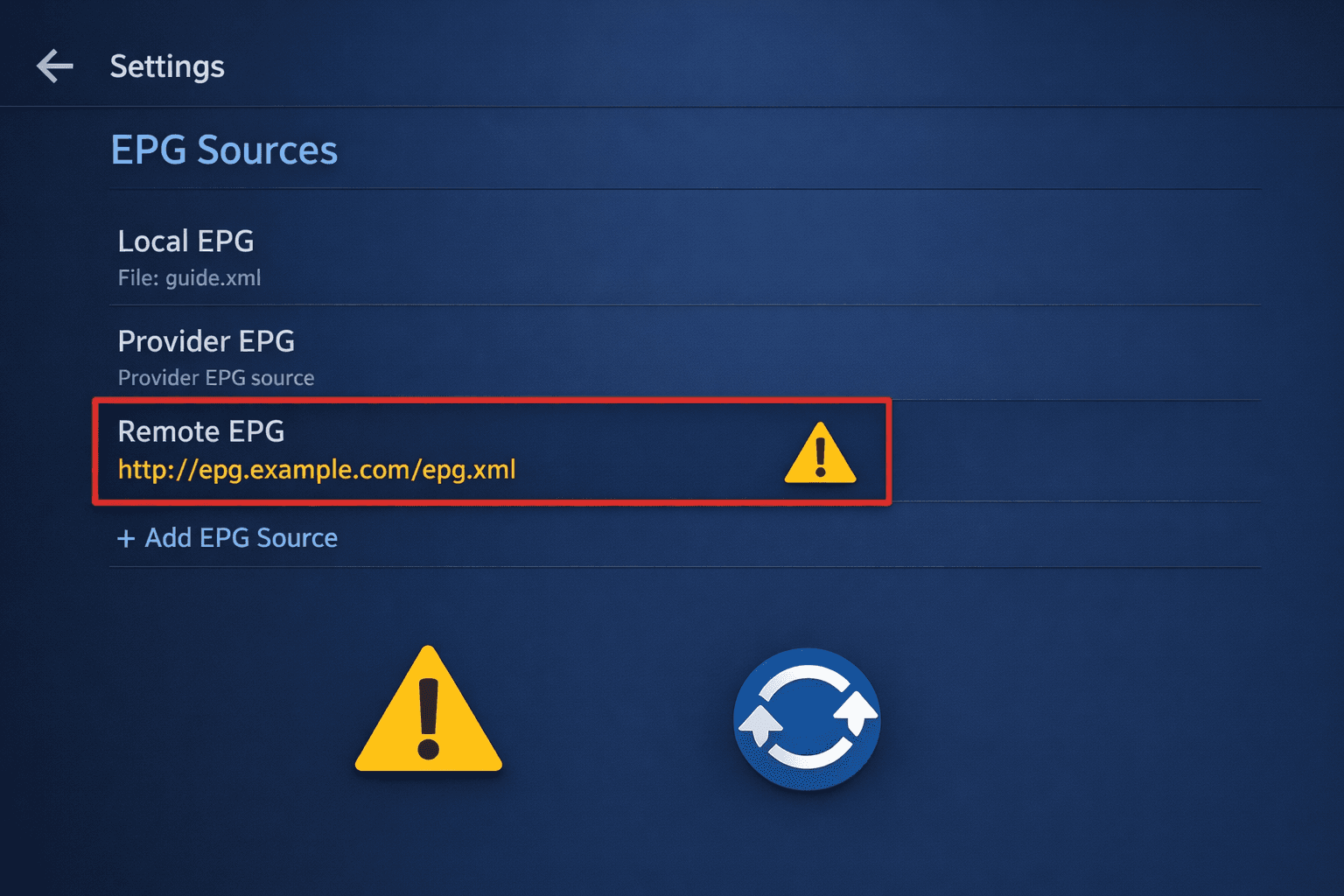
Step 4: Refresh EPG Data in TiviMate
- Open TiviMate
- Navigate to
Settings>EPG>EPG Sources - Select your source and use the refresh option
Step 5: Clear TiviMate Cache or Reinstall
- In device settings, clear TiviMate app data/cache or reinstall if the problem persists
Step 6: Try an Alternative EPG Source
- If available, add a different URL to test whether TiviMate works with other sources
Troubleshooting Mistakes to Avoid
- Don't assume the URL is static; many providers update or expire links regularly
- Avoid entering URLs that require login unless you have a proper IPTV playlist with embedded EPG links
- Don't confuse the IPTV playlist URL with the EPG source URL—they are separate
- Don’t ignore app updates; outdated TiviMate versions may have bugs affecting EPG loading
Who Should Use This Guide and When to Try Different Approaches
This troubleshooting guide applies if you:
- Use TiviMate on Android TV, Fire TV, or similar devices where you can manually add EPG URLs
- Have basic knowledge of IPTV playlist and program guide functions
If you're using an IPTV provider app with automatic EPG or an environment not supporting manual EPG URLs, consult provider-specific instructions. Device-specific issues (like Fire TV Stick network settings) might require separate fixes covered elsewhere.
Quick Reference Checklist: Fixing TiviMate EPG Source URL Issues
| Step | Action | Result Expected |
|---|---|---|
| 1 | Verify URL syntax | Correct and accessible URL |
| 2 | Test URL in browser | Downloadable XMLTV/JTV file |
| 3 | Check EPG provider status | Confirm source uptime |
| 4 | Refresh EPG in TiviMate | Guide data reloads successfully |
| 5 | Clear app cache/reinstall if needed | Reset app glitches |
| 6 | Try alternate EPG source | Isolate cause to provider or app |
FAQ
What does EPG source URL mean in TiviMate?
The EPG source URL is the web address pointing to the electronic program guide data in XMLTV or JTV format that TiviMate uses to display TV schedules.
Why does my TiviMate EPG source URL show no data?
Possible reasons include incorrect URL, expired or inaccessible server, mismatched data format, or connectivity issues.
Can I use any EPG source URL with TiviMate?
TiviMate requires the EPG data to be in XMLTV or JTV format and accessible via a valid URL; incompatible formats will not work.
How do I update an outdated EPG source URL in TiviMate?
You can update the URL by editing the EPG source settings in TiviMate and then refreshing the guide data to load the new source.
Is it necessary to refresh EPG data regularly?
Yes, updating the EPG data frequently ensures you see the latest TV program schedules in TiviMate.
Conclusion
A non-working EPG source URL in TiviMate usually boils down to URL errors, server accessibility, or format problems. By verifying the URL, checking provider status, ensuring correct formats, and refreshing data properly, most users can quickly restore their guide functionality. If troubleshooting steps fail, testing with alternative sources or reinstalling TiviMate can help isolate issues. Staying alert to changes in EPG URLs and provider notices prevents future interruptions and keeps your program guide accurate and up to date.
For related issues, see TiviMate Playlist Not Updating After Refresh: How to Fix It, EPG Time Offset Wrong in TiviMate: How to Fix Program Guide Timing, and How to Fix Channel Logos Missing in TiviMate.
Tags: tivimate, epg, troubleshooting, epg source, xmltv, jtv, iptv, electronic program guide, playlist
Keep exploring
More explainers that connect naturally to this setup, workflow, or troubleshooting path.
If your TiviMate playlist isn't updating after you press refresh, it usually indicates issues with the playlist source, connectivity, or app functionality.

When watching IPTV on your Firestick, the speed and reliability of how your device connects to IPTV servers greatly affect stream quality.