
When Xtream Codes Works Better Than M3U for IPTV Streaming

Quick answer
Xtream Codes works better than M3U playlists when you need smoother channel management, reliable user authentication, and real-time data updates for IPTV streaming. While M3U playlists provide a static file listing IPTV channels, Xtream Codes uses a username, password, and ser...
Reviewed Against
• Xtream Codes username, password, and server-URL login flows
• M3U and M3U Plus playlist URLs, refreshes, and import behavior
• Server-URL formatting, HTTP response handling, and account-entry failure patterns
Applies To
• Portal-style logins that need a server URL plus account credentials
• Playlist-based IPTV setups that rely on M3U or M3U Plus links for channel data
• Errors caused by malformed URLs, wrong credentials, expired tokens, or unreachable playlist endpoints
Does not apply when
• You are using only an M3U playlist URL with no Xtream-style portal login at all.
• Your app is using a portal or stalker-style workflow instead of a playlist URL.
• The provider confirms the service is down or the account has been deliberately blocked upstream.
Corroborating Resources
HTTP response status codesUseful when an IPTV app surfaces 401, 403, 404, or 5xx style errors during login or playlist refreshes.
URL structure referenceHelpful for checking server URLs, source links, and path/query mistakes in portal or playlist setups.
Topic Cluster
Part of the Xtream Codes cluster
Login errors, URL format confusion, authorization failures, and when Xtream Codes makes more sense than M3U. This page sits in compare options for that topic path.
Start here in this topic
On this page
Introduction
Xtream Codes works better than M3U playlists when you need smoother channel management, reliable user authentication, and real-time data updates for IPTV streaming. While M3U playlists provide a static file listing IPTV channels, Xtream Codes uses a username, password, and server URL login method to dynamically deliver content, improving user experience in many IPTV apps.
What you'll learn
- Core functional differences between Xtream Codes and M3U
- How dynamic updates in Xtream Codes improve IPTV usability
- The role of authentication in Xtream Codes workflows
- When to prefer Xtream Codes in IPTV apps
- Common pitfalls when switching from M3U to Xtream Codes
Understanding Xtream Codes and M3U: A Functional Overview
Before deciding which is better, it’s essential to understand how Xtream Codes and M3U work within IPTV setups.
What is M3U?
M3U is a simple plain-text playlist file format listing IPTV stream URLs and optionally channel metadata. It is static and must be updated manually or by receiving updated lists from providers.
What is Xtream Codes?
Xtream Codes is a login-based IPTV middleware system that provides playlist access through credentials (username, password, and server URL). It dynamically handles channel lists, user authentication, and supports electronic program guides (EPG).
Why Xtream Codes Works Better Than M3U in Dynamic IPTV Environments
1. Real-Time Channel and Playlist Updates
Unlike static M3U files, Xtream Codes playlists update channel status, add or remove channels, and update EPG data without user intervention. This ensures users always see the latest channel lineup and program listings.
2. Reliable Authentication and Access Control
Xtream Codes requires logging in with credentials, enabling providers to control access, track usage, and prevent unauthorized stream sharing — features unavailable with simple M3U files.
3. Better Integration with IPTV Apps
Many modern IPTV players are designed to work seamlessly with Xtream Codes API, providing enhanced navigation, catch-up features, and better error handling.
When to Choose Xtream Codes Over M3U
IPTV Apps That Support Xtream Codes
Apps like TiviMate, Perfect Player, and IPTV Smarters often support Xtream Codes logins, unlocking enhanced features.
Providers Offering Dynamic Playlists
If your IPTV provider offers an Xtream Codes login, it’s usually beneficial to use it to gain real-time updates and smoother playback reliability.
Use Cases Benefiting From Xtream Codes
- Large channel lineups requiring frequent updates
- Users relying on consistent EPG data
- Authentication-dependent access and personalized user accounts
Troubleshooting Common Issues When Switching from M3U to Xtream Codes
Incorrect Credentials
Double-check username, password, and server URL. Even slight typos can prevent login.
Unsupported IPTV Player
Ensure your player supports Xtream Codes format. Some older or minimalist players only accept M3U files.
Network or Server Issues
Slow network or server downtime can impair Xtream Codes functionality more noticeably due to its live data retrieval.
Handling Authorization Errors
Authorization failures indicate invalid credentials or expired subscriptions; try refreshing or contacting the provider.
Who Should Follow This Guide and When to Consider Device-Specific Advice
This Guide Is For:
- IPTV users with intermediate knowledge wanting to improve streaming stability and usability.
- Users whose IPTV providers offer Xtream Codes API access.
When to Seek Different Guidance
- If your IPTV provider only gives M3U URLs without login credentials.
- When using IPTV players without Xtream Codes support.
- For device-specific configurations, such as Fire TV Stick or Android TV, consult specialized tutorials.
Comparison Checklist: Xtream Codes vs M3U
| Feature | Xtream Codes | M3U Playlist |
|---|---|---|
| Update Frequency | Real-time/dynamic | Static/manual updates |
| Authentication | Required, username/password | None |
| EPG Integration | Often built-in | Varies, external source |
| Channel Management | Dynamic | Manual |
| Player Compatibility | Many IPTV apps | Universal, but limited features |
| Streaming Stability | Generally better | Depends on playlist quality |
Setting Up Xtream Codes in Your IPTV App: Step-by-Step
- Confirm your IPTV provider supports Xtream Codes logins.
- Obtain your username, password, and server URL from your provider.
- Open your IPTV app and navigate to "Add Playlist" or "Login" section.
- Select the option for Xtream Codes/Streaming Login.
- Enter your provided credentials and save.
- Test channel loading and navigation.
- Adjust buffering or refresh settings for optimal experience.
FAQ
What happens if my Xtream Codes credentials stop working?
Credentials may expire or be deactivated; verify with your provider. Resetting them or re-entering them correctly is often needed.
Are M3U playlists still relevant?
Yes, for providers without dynamic services or for users with simple IPTV setups, M3U remains useful.
Can Xtream Codes improve EPG accuracy?
Yes, it often delivers EPG data dynamically, which enhances program listing accuracy.
Is it harder to set up Xtream Codes than M3U?
Generally no. You just need provider credentials instead of a static playlist URL.
Conclusion
When your IPTV provider offers the option, Xtream Codes works better than M3U by providing dynamic channel updates, reliable authentication, and deeper integration with modern IPTV apps. For users with growing or frequently changing channel lists, and those valuing program guides and stable access, switching to Xtream Codes can enhance the overall streaming experience. Always verify your IPTV app supports Xtream Codes, use accurate credentials, and consider device-specific needs for optimal performance.
Frequently Asked Questions
What is Xtream Codes in IPTV?
Xtream Codes is a system that uses username, password, and server URL login credentials to access IPTV content, offering features like real-time channel updates and user authentication.
How does Xtream Codes differ from M3U playlists?
Unlike static M3U files, Xtream Codes provides dynamic content delivery with live channel updates, reliable authentication, and integrated EPG support.
Can I use both Xtream Codes and M3U on the same IPTV player?
Many IPTV players support both formats, but you typically choose one login type per instance to optimize performance and stability.
When should I prefer M3U over Xtream Codes?
If your IPTV provider only offers static playlists without login credentials or if you use a simple player with no Xtream Codes support, M3U is necessary.
What are common issues when switching from M3U to Xtream Codes?
Incorrect login credentials, URL typos, and unsupported IPTV apps can cause problems; always verify details and app compatibility.
Related guides on IPTV Explained
Keep exploring
More explainers that connect naturally to this setup, workflow, or troubleshooting path.
For streaming IPTV smoothly on your Fire TV Stick, fine-tuning your WiFi settings can drastically improve playback quality, reduce buffering, and prevent connection drops.

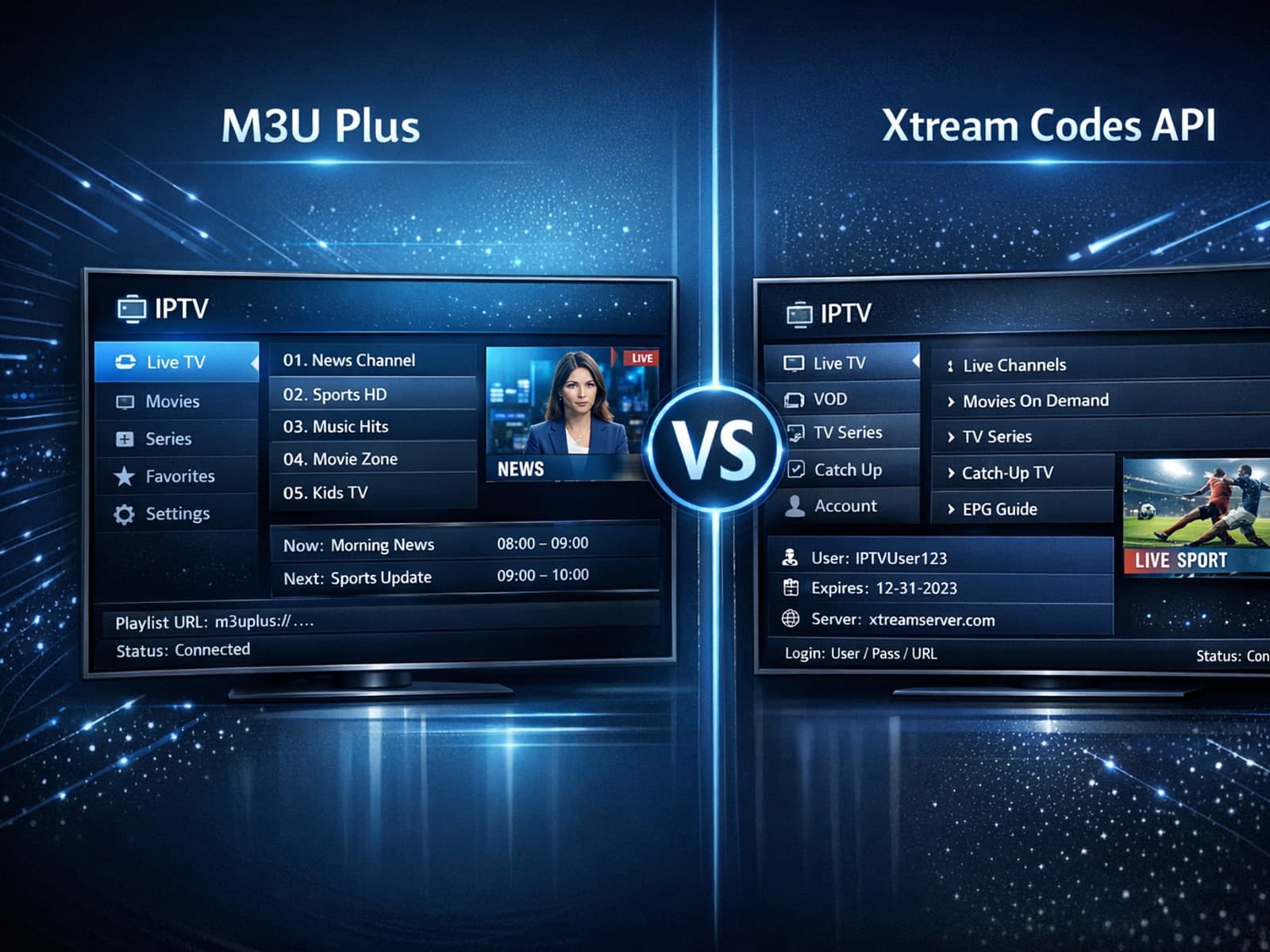
When managing IPTV playlists, users often face two popular methods for obtaining and refreshing their channels: M3U Plus URLs and the Xtream Codes API.


If your TiviMate app is showing program guide times that are off by one or more hours, the root cause is usually an incorrect EPG (Electronic Program Guide) time offset setting.
