
EPG Time Offset Wrong in TiviMate: How to Correct Guide Timing

Quick answer
If you're using TiviMate for IPTV and notice that the Electronic Program Guide (EPG) shows incorrect times—programs appearing early or late—this means the EPG time offset is wrong. Fortunately, TiviMate lets you correct this easily by manually adjusting the time offset setting...
Reviewed Against
• TiviMate playlist, EPG, and player-setting workflows
• XMLTV guide imports, refresh timing, and channel-guide matching
• Server-URL formatting, HTTP response handling, and account-entry failure patterns
Applies To
• TiviMate setups on Android TV, Google TV, or Fire OS style streaming devices
• Guide data issues such as missing listings, stale guide refreshes, or wrong time offsets
• Errors caused by malformed URLs, wrong credentials, expired tokens, or unreachable playlist endpoints
Does not apply when
• Your app uses a different menu layout or naming scheme than TiviMate.
• The stream itself will not play at all and you still need to verify login or playlist access.
• The provider confirms the service is down or the account has been deliberately blocked upstream.
Corroborating Resources
XMLTV file format referenceUseful when the issue comes from guide-source formatting, channel mapping, or XMLTV data freshness.
HTTP response status codesUseful when an IPTV app surfaces 401, 403, 404, or 5xx style errors during login or playlist refreshes.
URL structure referenceHelpful for checking server URLs, source links, and path/query mistakes in portal or playlist setups.
Topic Cluster
Part of the EPG cluster
Guide data problems, XMLTV and playlist matching, time-offset fixes, and TiviMate EPG recovery paths. This page sits in troubleshoot and fix for that topic path.
Start here in this topic
On this page
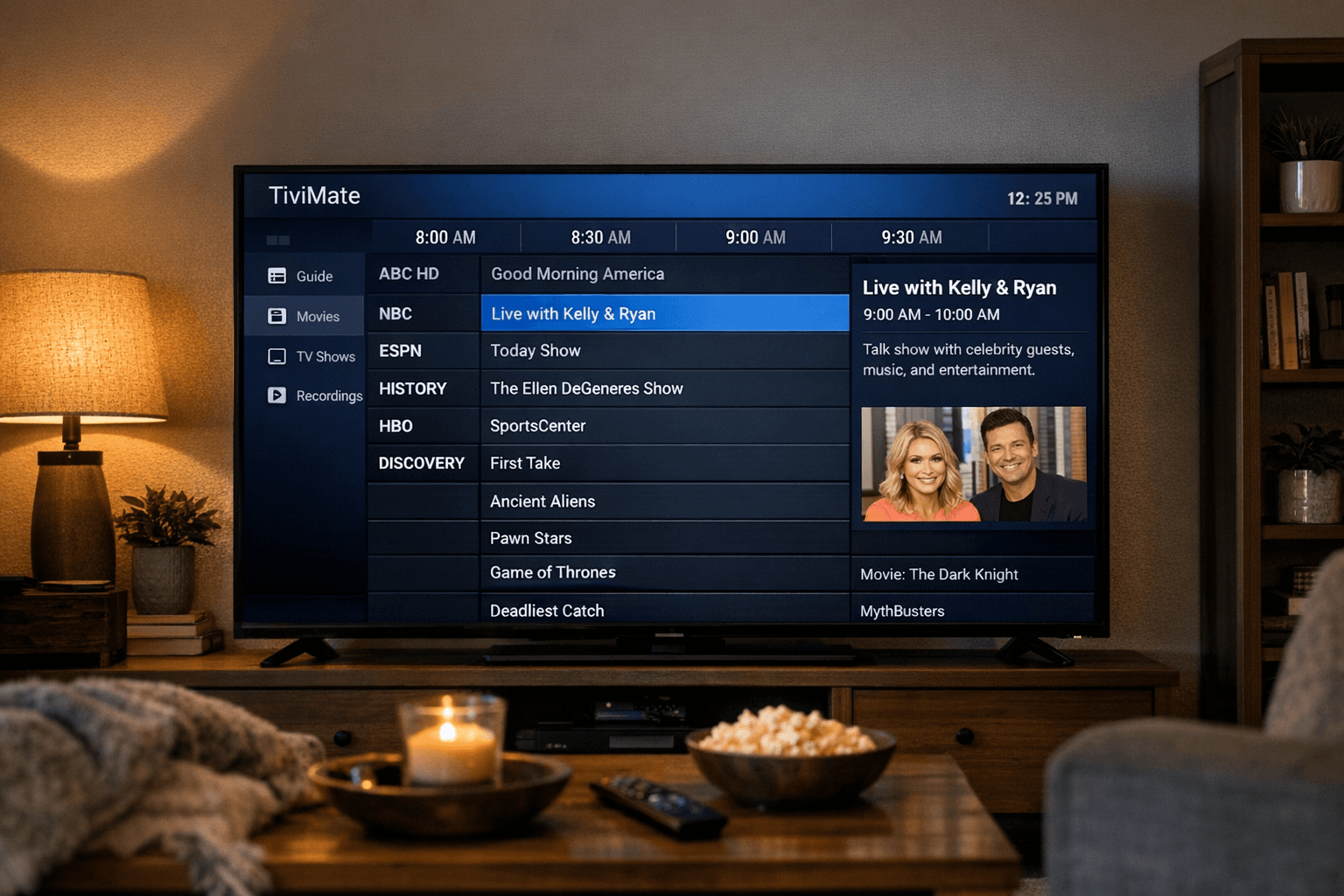
EPG Time Offset Wrong in TiviMate: How to Correct Guide Timing
If you're using TiviMate for IPTV and notice that the Electronic Program Guide (EPG) shows incorrect times—programs appearing early or late—this means the EPG time offset is wrong. Fortunately, TiviMate lets you correct this easily by manually adjusting the time offset setting. This guide walks you through how to recognize, fix, and prevent EPG time offset issues specifically within TiviMate, focusing on Android-based devices where it commonly runs.
What you'll learn
- What EPG time offset means and common reasons it goes wrong in TiviMate
- How to identify whether the time offset is causing your guide time issues
- Step-by-step instructions to adjust the time offset setting in TiviMate
- Common mistakes and troubleshooting tips to ensure proper timing
- When to seek alternate EPG sources or external fixes
Understanding EPG Time Offset in TiviMate
What is an EPG Time Offset?
The Electronic Program Guide (EPG) shows schedules and descriptions of current and upcoming TV shows. The time offset represents the difference between the EPG data's timestamps and your local time zone.
For example, if the EPG data is timed for UTC but your local time zone is UTC+3, not adjusting the offset results in programs showing 3 hours early.
Why does TiviMate show the wrong EPG time?
TiviMate relies on the EPG data source's timestamps. If those don’t match your local time zone or daylight savings, or if TiviMate does not apply the correct offset, program times will look wrong.
Common causes include:
- EPG data provided in a different timezone than the viewer's
- No automatic timezone detection in TiviMate
- Manual offset never set or set incorrectly
- EPG source metadata errors
Recognizing the exact cause helps you pick the right fix.
How to Identify If the Time Offset Is the Problem
Before adjusting settings, confirm that the guide time offset is the source of your problems rather than app errors or playlist issues.
Look for these signs:
- Programs appear consistently early or late by a fixed number of hours
- The offset matches a common time zone difference (eg. 1, 2, or 3 hours)
- Programs themselves and channel content load correctly, only the timing is off
- Your device’s system time is correct
If the EPG shows completely random or empty times, or channels aren't working, time offset adjustment won't help. Instead, check your playlist, EPG URLs, or internet connection.
Adjusting EPG Time Offset in TiviMate
Here is how to set the correct time offset in the TiviMate app. This assumes you use TiviMate on Android TV, FireStick, or similar devices.
Steps to Fix EPG Time Offset
-
Open the TiviMate app and navigate to the Settings (usually gear icon).
-
Select EPG settings or Guide settings (label depends on the app version).
-
Find the option labeled Time offset. It may also appear as "EPG time shift".
-
The default is 0 hours. Adjust this number:
- Use positive numbers to add hours (e.g., +2 to move EPG forward by two hours).
- Use negative numbers to subtract hours (e.g., -1 to move EPG back by one hour).
-
Save or confirm the adjustment.
-
Refresh the EPG data:
- Go back and use the refresh or reload option for the EPG.
-
Return to the guide view and check if program times align with actual broadcast times.
Adjust incrementally if needed until the times look accurate.
Tips for Correct Adjustment
- Adjust in full-hour increments first.
- Account for daylight saving changes.
- Think about your IPTV provider’s EPG time zone (ask your provider if unclear).
Common Mistakes and Troubleshooting
Mistakes to Avoid
- Changing device system time instead of adjusting EPG offset.
- Not refreshing the guide after changing the offset.
- Using offset values too large or in the wrong sign (positive vs negative).
- Assuming playlist or channels are broken due to time offset issues.
Troubleshooting If Time Offset Adjustment Fails
- Verify your device's clock and time zone settings.
- Try a different EPG source if your playlist allows.
- Use the IPTV provider’s recommended EPG URL or ask them for guidance.
- Perform a full app restart or reinstall TiviMate if data seems corrupted.
Who This Guidance Applies To and When To Consider Alternatives
This guide assumes:
- You use TiviMate on Android TV, Fire TV, or supported Android devices.
- Your IPTV playlist includes or references an EPG URL you can refresh or modify.
- Your device's system time is set correctly.
If you use a different IPTV app, device, or a subscription with pre-configured EPG that cannot be altered within TiviMate, this advice may not fully apply.
Consider separate device-specific troubleshooting if:
- You use Smart TVs with native IPTV apps
- You operate on iOS devices
- Your IPTV service delivers EPG embedded in formats that do not support manual time offset
Summary Checklist: Fixing EPG Time Offset in TiviMate
| Step | Action To Do | Result |
|---|---|---|
| 1 | Verify device time and timezone correctness | Confirm device clock is accurate |
| 2 | Identify time difference shown in guide | Note how many hours ahead/behind it is |
| 3 | Adjust time offset in TiviMate settings | Correct the EPG display times |
| 4 | Refresh EPG guide data | Fetch corrected listings |
| 5 | Confirm program times match broadcasts | Validate fix effectiveness |
FAQ
What causes EPG time offset to be wrong in TiviMate?
Incorrect time zone settings in the EPG data source or incorrect time offset settings in TiviMate cause guide time errors.
Can I fix the EPG time offset without changing playlist or EPG source?
Yes. TiviMate allows manual time offset adjustment independent of playlist or EPG URL changes.
Does the EPG time offset issue affect all devices running TiviMate?
It's primarily related to EPG data timezone mismatch and app settings, not the device itself.
What if adjusting time offset doesn't fix the EPG timing?
Your EPG source may have incorrect timestamps, or playlist/EPG mismatches may exist. Try different EPG sources or contact your IPTV provider.
Conclusion
Incorrect EPG times in TiviMate are most often solved by adjusting the app's time offset setting to match your local time relative to the EPG data source. This straightforward fix can greatly improve your IPTV viewing experience by ensuring guides accurately represent live program times. Always start with verifying your device clock and then adjust the offset incrementally within TiviMate’s settings. If problems persist, explore different EPG sources or consult your IPTV provider. With this clear process, you can confidently resolve EPG time offset errors in TiviMate and enjoy accurate program information every time.
Related guides on IPTV Explained
Keep exploring
More explainers that connect naturally to this setup, workflow, or troubleshooting path.
When managing IPTV playlists, users often face two popular methods for obtaining and refreshing their channels: M3U Plus URLs and the Xtream Codes API.

If your TiviMate app is showing program guide times that are off by one or more hours, the root cause is usually an incorrect EPG (Electronic Program Guide) time offset setting.


If your TiviMate playlist does not update after hitting refresh, the issue is usually related to either the playlist source itself, your network connection, or the way the app handles refreshing.
