
TiviMate EPG Source URL Not Working

Quick answer
If your TiviMate app is not displaying channel program guides and shows an error or empty EPG data, the issue usually lies with the EPG source URL. This URL provides the electronic program guide (EPG) information that TiviMate fetches and displays alongside your IPTV channels....
Reviewed Against
• TiviMate playlist, EPG, and player-setting workflows
• XMLTV guide imports, refresh timing, and channel-guide matching
• Server-URL formatting, HTTP response handling, and account-entry failure patterns
Applies To
• TiviMate setups on Android TV, Google TV, or Fire OS style streaming devices
• Guide data issues such as missing listings, stale guide refreshes, or wrong time offsets
• Errors caused by malformed URLs, wrong credentials, expired tokens, or unreachable playlist endpoints
Does not apply when
• Your app uses a different menu layout or naming scheme than TiviMate.
• The stream itself will not play at all and you still need to verify login or playlist access.
• The provider confirms the service is down or the account has been deliberately blocked upstream.
Corroborating Resources
XMLTV file format referenceUseful when the issue comes from guide-source formatting, channel mapping, or XMLTV data freshness.
HTTP response status codesUseful when an IPTV app surfaces 401, 403, 404, or 5xx style errors during login or playlist refreshes.
URL structure referenceHelpful for checking server URLs, source links, and path/query mistakes in portal or playlist setups.
Topic Cluster
Part of the EPG cluster
Guide data problems, XMLTV and playlist matching, time-offset fixes, and TiviMate EPG recovery paths. This page sits in troubleshoot and fix for that topic path.
Start here in this topic
On this page
TiviMate EPG Source URL Not Working
If your TiviMate app is not displaying channel program guides and shows an error or empty EPG data, the issue usually lies with the EPG source URL. This URL provides the electronic program guide (EPG) information that TiviMate fetches and displays alongside your IPTV channels. When the URL is incorrect, unreachable, or the server at the URL is down, the EPG won't load.
This article will guide you through understanding why your TiviMate EPG source URL might not be working and how to fix it systematically. The goal is to diagnose and resolve common issues quickly, helping your program guide update properly.
What you'll learn
- What an EPG source URL is and why it matters in TiviMate
- Common reasons the EPG URL can fail to load
- Step-by-step troubleshooting methods to fix URL problems
- How to confirm your network and app settings
- When to consider alternative EPG sources or contact support
Understanding the EPG Source URL in TiviMate
What Is an EPG Source URL?
An EPG source URL is a direct web link to a file or a service that provides electronic program guides in XMLTV or similar formats. TiviMate uses this address to download current and scheduled TV program data for your channels so you can view what’s playing now and upcoming.
If this URL is invalid, outdated, or inaccessible, your EPG data won't update and might not appear at all.
How TiviMate Uses This URL
Once entered in the EPG settings, TiviMate regularly fetches the guide data from this URL. This means the URL must be reachable from your device and serve correct formatted data. If TiviMate cannot access the URL or the data is corrupted, the guide loading fails.
Common Reasons the EPG Source URL Is Not Working
Knowing why your EPG URL might fail will help target solutions faster.
- Incorrect or mistyped URL: Missing characters, wrong protocol (http vs https), or additional spaces cause errors.
- Internet connectivity issues: Without stable internet, TiviMate can't access the URL.
- Server downtime or removal: The EPG provider might have taken the URL offline temporarily or permanently.
- App or device caching problems: Old cached data or app glitches can block fresh downloads.
- Incompatibility with app version: Older TiviMate versions might struggle with newer EPG formats or URL requirements.
- Network restrictions: Firewalls, DNS filtering, or VPN interference can block access.
How to Troubleshoot TiviMate EPG Source URL Problems
This step-by-step troubleshooting approach focuses on the most common causes first, from easiest to check.
1. Verify the URL Format and Accuracy
Errors in the URL are the most common culprit. Double-check the link:
- Ensure the URL starts with http:// or https:// as required by your source.
- Copy-paste the URL carefully from provider documentation or your IPTV service.
- Avoid trailing spaces or hidden characters when entering the URL in TiviMate.
2. Check Your Internet Connection
- Make sure your device has an active internet connection.
- Test browsing other websites or streaming apps to confirm connectivity.
- Restart your Wi-Fi or wired connection if necessary.
3. Confirm the EPG Server Is Online
- Use a web browser or another tool on any device connected to the same network to open the EPG URL.
- If you cannot access or download data from the URL outside TiviMate, the server might be down.
- Contact your IPTV provider or EPG source owner for status updates.
4. Update the TiviMate App
- Open your device's app store and check if updates for TiviMate are available.
- Developers often patch bugs and enhance compatibility in updates.
5. Clear TiviMate Cache and Reload
Sometimes stale cache data stops TiviMate from fetching new EPG data.
- Go to your device Settings > Apps > TiviMate > Storage & Cache, then clear cache.
- Restart TiviMate and refresh your playlists to force a new EPG download.
6. Adjust EPG Settings in TiviMate
- Check if the XMLTV format is selected if using XML file sources.
- Try toggling options related to EPG update frequency.
7. Assess Network Restrictions
- Disable VPNs or proxies temporarily to test if they interfere.
- Check your router or firewall settings if you have control, to ensure the EPG URL domain is not blocked.
8. Try an Alternative EPG Source URL
- If your IPTV provider offers multiple EPG URLs, test an alternative.
- Use a public XMLTV source to confirm whether the problem is local or with your primary URL.
9. Contact Your IPTV or EPG Provider
- If all else fails, the problem may be on the provider’s side or their URL requirements have changed.
- Reach out for updated URLs, credentials, or detailed support.
Troubleshooting Applicability and When to Choose Device-Specific Help
This guide fits users working with TiviMate on Android TV devices, Amazon Fire TV-based systems, or compatible set-top boxes.
- If you use a different IPTV app (e.g., IPTV Smarters), some steps like clearing app cache or settings menus vary.
- For hardware with different OSs (iOS, Apple TV), check their specific apps’ troubleshooting.
- If you experience TiviMate playlist or channel issues unrelated to EPG, see dedicated guides.
For TiviMate EPG time mismatch errors or playlist refresh issues, consider these related tutorials:12
Common Mistakes to Avoid with EPG URLs in TiviMate
- Copying incomplete URLs: Some providers supply URLs that require authentication tokens appended. Use exactly what the provider gives.
- Ignoring protocol requirements: Switching from http to https without confirmation can cause failures.
- Not updating the app for long periods: Compatibility issues arise with outdated app versions.
- Overloading TiviMate with multiple EPG sources: Stick to the recommended number to prevent conflicts.
FAQ
What should I do if the EPG URL works on my PC but not in TiviMate?
Check your device’s network settings, confirm TiviMate permissions, update the app, and clear its cache. Sometimes device-specific firewall or DNS settings block the app.
Can I manually update EPG data in TiviMate?
Yes, in TiviMate’s settings, you can force a manual refresh of the EPG or reload your playlist.
How frequently does TiviMate update EPG data?
TiviMate typically refreshes EPG data based on its internal schedule or when you manually refresh the playlist, usually every few hours.
Is the EPG URL the same as the IPTV playlist URL?
No, the IPTV playlist URL contains channel streams, while the EPG URL specifically provides program guide information.
Are there free EPG sources available?
Yes, XMLTV and similar services offer public EPG data, but their coverage and quality vary. Often IPTV providers supply their own.
Conclusion
When your TiviMate EPG source URL is not working, start with verifying the URL itself and your internet connection, then move on to checking server availability and app settings. Updating TiviMate and clearing its cache are quick fixes that often resolve issues. If problems persist, trying alternative EPG URLs or contacting your IPTV provider is the next best step.
By following these targeted troubleshooting steps, most users can restore full electronic program guide functionality, ensuring a smooth channel browsing experience.
| Step | Action |
|---|---|
| 1 | Verify EPG source URL accuracy |
| 2 | Check internet connection |
| 3 | Test EPG URL reachability externally |
| 4 | Update TiviMate app |
| 5 | Clear app cache and restart |
| 6 | Adjust EPG settings if needed |
| 7 | Disable VPN and check network restrictions |
| 8 | Try alternate EPG URL or contact provider |
Step-by-step process
- Verify that the EPG source URL is correctly entered without typos.
- Check your internet connection to ensure stable access.
- Confirm that the EPG server is online and accessible.
- Update TiviMate to the latest version to avoid compatibility issues.
- Clear the TiviMate cache and reload the playlist.
- Adjust EPG source settings and enable XMLTV format if applicable.
- Review firewall or DNS settings that might block URL access.
- If problems persist, try an alternative EPG source URL or contact your IPTV provider.
Footnotes
Keep exploring
More explainers that connect naturally to this setup, workflow, or troubleshooting path.
When TiviMate displays an "Xtream Codes Authorization Failed" message, it means the app cannot successfully log in to your IPTV provider’s server using the Xtream Codes credentials you entered.

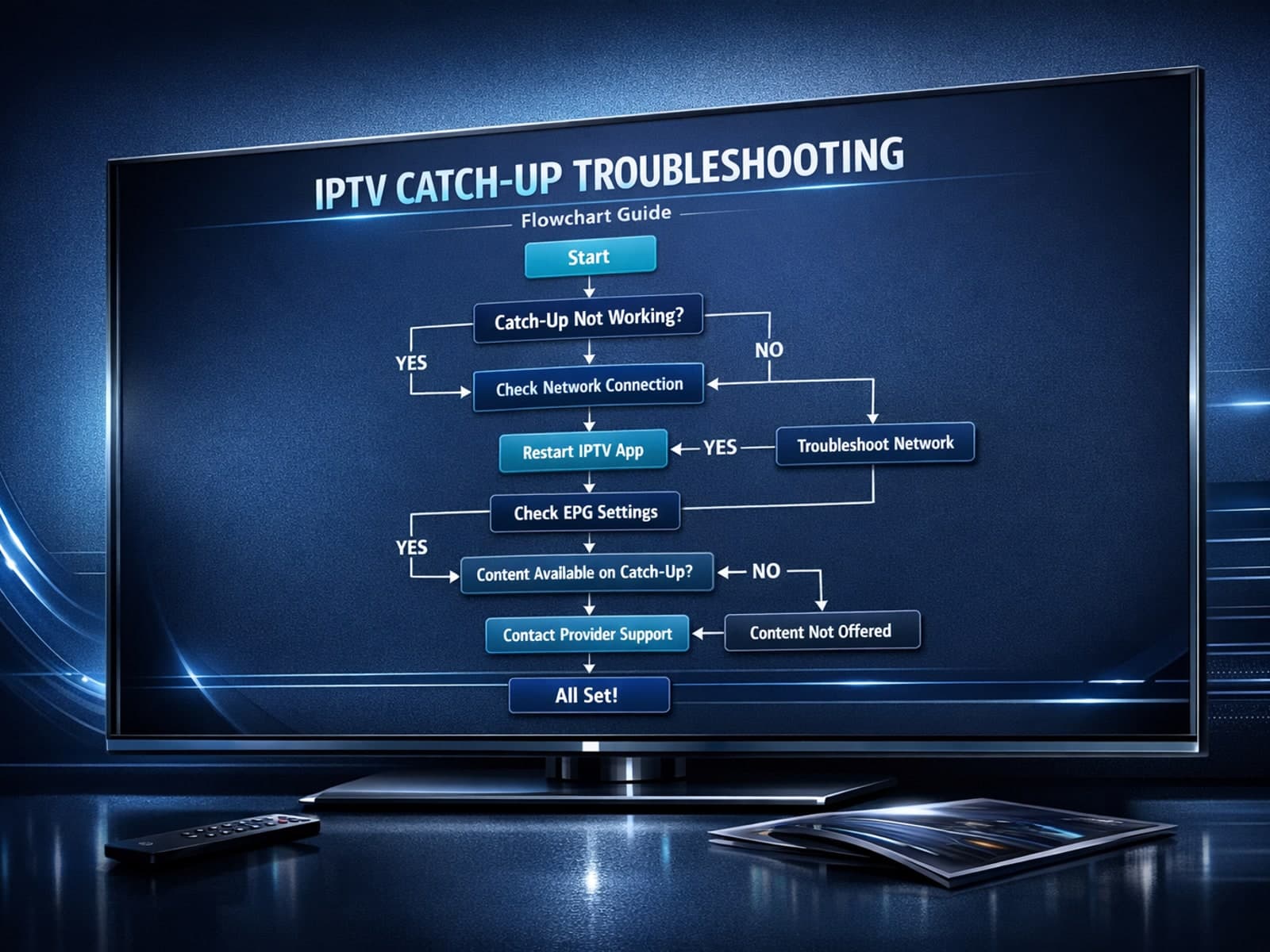
If you use the TiviMate IPTV player, you might occasionally find that the catch-up TV feature isn't working as expected. Catch-up allows you to watch previously aired content on demand, making it a valuable part of your viewing experience.

If you've hit "Refresh" in TiviMate but your IPTV playlist doesn't update, you are not alone. This is a common problem that can stem from multiple causes including network hiccups, playlist URL issues, corrupted cache, or server downtime.
